
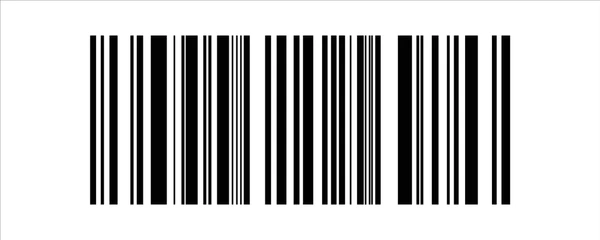
Why Businesses Need a Reliable Barcode Sticker PrinterBarcodes are used every day by businesses to identify products, track inventory, manage shipments and improve operational efficiency. Behind many of these barcodes is a simple but important piece of equipment: a barcode sticker printer.
A suitable barcode printer allows businesses to produce machine-readable stickers according to their operational requirements.
Whether you operate a retail store, warehouse, manufacturing facility or logistics business, choosing the right printer can make barcode labeling faster and more consistent.

What Is a Barcode Sticker Printer?
A barcode sticker printer is a specialized printer designed to produce labels containing barcodes, text, numbers, symbols and other identification information.
Unlike a standard office printer, barcode printers are designed specifically for label production.
Depending on the model, they can print:
- Product barcodes
- Inventory labels
- Shipping labels
- Asset labels
- Warehouse labels
- Price labels
- Serial number labels
- Identification stickers
Why Businesses Use Barcode Sticker Printers
Faster Label Production
Businesses can generate labels when required rather than relying entirely on pre-printed stickers.
Consistent Barcode Quality
A dedicated barcode printer can produce consistent prints when the correct printer, labels and settings are used.
Better Inventory Identification
Clearly printed labels make it easier for employees and scanners to identify products and stock.
Flexible Label Formats
Businesses can print different information and label sizes depending on their application.
Reduced Manual Data Entry
When integrated with a barcode system, printed labels can support faster scanning and data capture.
Types of Barcode Printers
Desktop Barcode Printers
Desktop printers are suitable for offices, retail counters and businesses with moderate printing requirements.
They generally occupy less space and can be appropriate where label volumes are manageable.
Industrial Barcode Printers
Industrial printers are designed for higher-volume printing environments.
They may be suitable for:
- Warehouses
- Manufacturing facilities
- Distribution centers
- Logistics operations
- Large retail operations
Mobile Barcode Printers
Mobile printers allow users to print labels closer to the point of activity.
They can be useful for inventory checks, delivery operations and other applications where mobility is important.
Thermal Printing and Barcode Stickers
Many barcode printers use thermal printing technology.
There are two common approaches:
Direct Thermal Printing
Direct thermal printers produce images through heat-sensitive label material.
They are often used for applications where labels do not need to remain readable for extended periods.
Thermal Transfer Printing
Thermal transfer printing uses a ribbon to transfer ink onto the label material.
It can provide durable labels for applications where longer-lasting identification is required.
The appropriate technology depends on the label material, application and expected exposure.
How to Choose a Barcode Sticker Printer
Before purchasing a barcode sticker printer, consider:
Print Volume
Determine how many labels your business prints each day or month.
Label Size
The printer should support the dimensions required for your labels.
Printing Method
Decide whether direct thermal or thermal transfer printing is appropriate.
Connectivity
Depending on your workflow, you may need USB, Ethernet, Wi-Fi or other connectivity options.
Printing Speed
High-volume operations may benefit from printers designed for faster label production.
Software Compatibility
The printer should work with your barcode labeling software and existing business systems.
Barcode Printer Brands
Labels & Labeling offers barcode printing solutions from established brands, including products from manufacturers such as Zebra, TSC, Citizen and Brother, depending on the specific application and model requirements.
Choosing a printer based on the actual workload and application is more important than selecting a brand solely because it is well known.
Barcode Sticker Printer Applications
A barcode sticker printer can support a wide range of business processes.
Retail
Print product identification and pricing labels.
Warehousing
Create labels for inventory, racks, bins and cartons.
Logistics
Produce shipping and package identification labels.
Manufacturing
Track components, production batches and finished products.
Asset Management
Print identification labels for equipment and company assets.
Healthcare
Support identification requirements for products, samples and equipment.
Printer, Label and Ribbon Compatibility
One common mistake is purchasing a printer without considering the consumables.
A complete barcode printing system should consider:
Printer + Label + Ribbon + Software
The label material and ribbon need to be compatible with the printer and application.
For example, a warehouse application exposed to abrasion or moisture may require a different label solution from a short-term retail application.
Why Buy From a Specialist Supplier?
A specialist labeling supplier can help businesses evaluate:
- Printer type
- Print technology
- Label material
- Ribbon type
- Label size
- Printing volume
- Application requirements
This can help businesses avoid purchasing equipment that does not match their operational needs.
Barcode Sticker Printers in Dubai and UAE
Businesses in Dubai operate across retail, logistics, e-commerce, manufacturing and other sectors where barcode identification is essential.
Labels & Labeling provides barcode printers and related labeling products for businesses across Dubai and the UAE.
Its wider range includes printers, scanners, ribbons, thermal labels, barcode stickers and specialty labels.
Frequently Asked Questions
What is a barcode sticker printer?
It is a specialized printer designed to print barcode labels and stickers used for identification, tracking and inventory management.
What type of printer is best for barcode stickers?
The right printer depends on label size, print volume, material, durability requirements and printing technology.
Can barcode printers print regular labels?
Many barcode printers can print text, graphics and different types of identification labels, depending on the printer and media.
Do barcode printers need ribbons?
Direct thermal printers do not normally require ribbons, while thermal transfer printers use ribbons.
Where can I buy a barcode sticker printer in UAE?
Labels & Labeling provides barcode printers and related labeling products for businesses in Dubai and across the UAE.
Choose the Right Barcode Sticker Printer
A reliable barcode sticker printer can become an important part of an efficient labeling and inventory workflow.
By considering print volume, label material, printing technology, connectivity and application requirements, businesses can choose equipment that fits their daily operations.
For barcode printers, labels, ribbons and scanning solutions in Dubai and the UAE, Labels & Labeling offers a range of products for different business requirements.
Barcodes are used every day by businesses to identify products, track inventory, manage shipments and improve operational efficiency. Behind many of these barcodes is a simple but important piece of equipment: a barcode sticker printer.
A suitable barcode printer allows businesses to produce machine-readable stickers according to their operational requirements.
Whether you operate a retail store, warehouse, manufacturing facility or logistics business, choosing the right printer can make barcode labeling faster and more consistent.
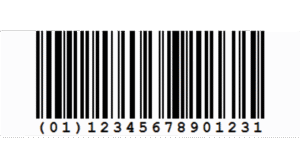
What Is a Barcode Sticker Printer?
A barcode sticker printer is a specialized printer designed to produce labels containing barcodes, text, numbers, symbols and other identification information.
Unlike a standard office printer, barcode printers are designed specifically for label production.
Depending on the model, they can print:
- Product barcodes
- Inventory labels
- Shipping labels
- Asset labels
- Warehouse labels
- Price labels
- Serial number labels
- Identification stickers
Why Businesses Use Barcode Sticker Printers
Faster Label Production
Businesses can generate labels when required rather than relying entirely on pre-printed stickers.
Consistent Barcode Quality
A dedicated barcode printer can produce consistent prints when the correct printer, labels and settings are used.
Better Inventory Identification
Clearly printed labels make it easier for employees and scanners to identify products and stock.
Flexible Label Formats
Businesses can print different information and label sizes depending on their application.
Reduced Manual Data Entry
When integrated with a barcode system, printed labels can support faster scanning and data capture.
Types of Barcode Printers
Desktop Barcode Printers
Desktop printers are suitable for offices, retail counters and businesses with moderate printing requirements.
They generally occupy less space and can be appropriate where label volumes are manageable.
Industrial Barcode Printers
Industrial printers are designed for higher-volume printing environments.
They may be suitable for:
- Warehouses
- Manufacturing facilities
- Distribution centers
- Logistics operations
- Large retail operations
Mobile Barcode Printers
Mobile printers allow users to print labels closer to the point of activity.
They can be useful for inventory checks, delivery operations and other applications where mobility is important.
Thermal Printing and Barcode Stickers
Many barcode printers use thermal printing technology.
There are two common approaches:
Direct Thermal Printing
Direct thermal printers produce images through heat-sensitive label material.
They are often used for applications where labels do not need to remain readable for extended periods.
Thermal Transfer Printing
Thermal transfer printing uses a ribbon to transfer ink onto the label material.
It can provide durable labels for applications where longer-lasting identification is required.
The appropriate technology depends on the label material, application and expected exposure.
How to Choose a Barcode Sticker Printer
Before purchasing a barcode sticker printer, consider:
Print Volume
Determine how many labels your business prints each day or month.
Label Size
The printer should support the dimensions required for your labels.
Printing Method
Decide whether direct thermal or thermal transfer printing is appropriate.
Connectivity
Depending on your workflow, you may need USB, Ethernet, Wi-Fi or other connectivity options.
Printing Speed
High-volume operations may benefit from printers designed for faster label production.
Software Compatibility
The printer should work with your barcode labeling software and existing business systems.
Barcode Printer Brands
Labels & Labeling offers barcode printing solutions from established brands, including products from manufacturers such as Zebra, TSC, Citizen and Brother, depending on the specific application and model requirements.
Choosing a printer based on the actual workload and application is more important than selecting a brand solely because it is well known.
Barcode Sticker Printer Applications
A barcode sticker printer can support a wide range of business processes.
Retail
Print product identification and pricing labels.
Warehousing
Create labels for inventory, racks, bins and cartons.
Logistics
Produce shipping and package identification labels.
Manufacturing
Track components, production batches and finished products.
Asset Management
Print identification labels for equipment and company assets.
Healthcare
Support identification requirements for products, samples and equipment.
Printer, Label and Ribbon Compatibility
One common mistake is purchasing a printer without considering the consumables.
A complete barcode printing system should consider:
Printer + Label + Ribbon + Software
The label material and ribbon need to be compatible with the printer and application.
For example, a warehouse application exposed to abrasion or moisture may require a different label solution from a short-term retail application.
Why Buy From a Specialist Supplier?
A specialist labeling supplier can help businesses evaluate:
- Printer type
- Print technology
- Label material
- Ribbon type
- Label size
- Printing volume
- Application requirements
This can help businesses avoid purchasing equipment that does not match their operational needs.
Barcode Sticker Printers in Dubai and UAE
Businesses in Dubai operate across retail, logistics, e-commerce, manufacturing and other sectors where barcode identification is essential.
Labels & Labeling provides barcode printers and related labeling products for businesses across Dubai and the UAE.
Its wider range includes printers, scanners, ribbons, thermal labels, barcode stickers and specialty labels.
Frequently Asked Questions
What is a barcode sticker printer?
It is a specialized printer designed to print barcode labels and stickers used for identification, tracking and inventory management.
What type of printer is best for barcode stickers?
The right printer depends on label size, print volume, material, durability requirements and printing technology.
Can barcode printers print regular labels?
Many barcode printers can print text, graphics and different types of identification labels, depending on the printer and media.
Do barcode printers need ribbons?
Direct thermal printers do not normally require ribbons, while thermal transfer printers use ribbons.
Where can I buy a barcode sticker printer in UAE?
Labels & Labeling provides barcode printers and related labeling products for businesses in Dubai and across the UAE.
Choose the Right Barcode Sticker Printer
A reliable barcode sticker printer can become an important part of an efficient labeling and inventory workflow.
By considering print volume, label material, printing technology, connectivity and application requirements, businesses can choose equipment that fits their daily operations.
For barcode printers, labels, ribbons and scanning solutions in Dubai and the UAE, Labels & Labeling offers a range of products for different business requirements.