
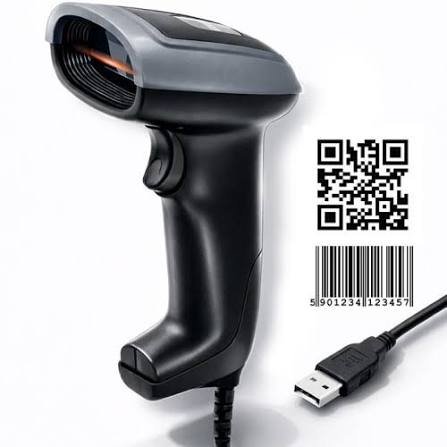
Which Barcode Scanner Does Your Industry Need? A UAE Buyer’s GuideThe right barcode scanner depends less on brand than on where it lives. A retail counter needs a corded 2D imager like the Zebra DS2208. A warehouse needs a rugged sealed model like the DS3608. A jewellery shop needs high resolution for tiny tags. A cold store needs a scanner rated for condensation. Choosing by environment first narrows the list to two or three models in about a minute.
Nearly every scanner comparison starts with brands. That’s the wrong order. Zebra, Datalogic and Honeywell all make good scanners at every level, and for most jobs any of the three will do. What actually decides the purchase is what the scanner has to survive and what it has to read.
Here is how the choice breaks down by the kind of business.
Retail shops, cafés and pharmacies
What you need: a corded 2D imager.
Typical models: Zebra DS2208, Datalogic QuickScan QW2120, Honeywell Voyager 1472g.
A counter scanner lives an easy life. It sits in one place, it never gets rained on, and it scans printed barcodes from a few centimetres away. You do not need ruggedisation and you should not pay for it.
What you do need is 2D. Customers arrive with loyalty codes, vouchers and payment QR codes on their phone screens, and a 1D laser scanner cannot read a screen at all. This catches people out constantly in UAE retail, where digital wallets are normal.
If the counter layout makes a cable awkward, step up to a cordless model like the Zebra DS2278. Otherwise corded is cheaper, never needs charging, and never walks off.
Pharmacies specifically: medicine boxes carry small 2D DataMatrix codes for batch and expiry tracking, often printed at high density on a curved surface. Test any scanner against your actual stock before committing to a fleet.
Supermarkets and high-volume checkouts
What you need: hands-free presentation or in-counter scanning.
Typical models: Zebra DS9308 (presentation), Zebra MP7000 (in-counter bioptic), Datalogic Magellan.
Once a queue forms, the bottleneck stops being scan speed and starts being the cashier’s hands. A presentation scanner sits on the counter and reads whatever is held in front of it, which leaves both hands free for bagging.
An in-counter bioptic reads several sides of a product at once and is noticeably faster again, but it needs the counter cut and modified. Budget for the installation, not just the unit.
Jewellery and optical retail
What you need: a scanner that reads small, dense codes on curved and reflective surfaces.
Jewellery tags are tiny. The barcode is printed at high density on a narrow strip, often wrapped around a ring or hanging at an angle, and frequently sitting next to something highly reflective.
A standard retail scanner will read most of them and struggle with the rest. Test with your own tags before buying. This is also one of the cases where the label matters as much as the scanner: a 300 dpi printer produces a noticeably more readable jewellery tag than a 203 dpi one, and that difference solves more scanning problems than upgrading the scanner does.
Warehouses and logistics
What you need: rugged, sealed, and often long range.
Typical models: Zebra DS3608 (corded), Zebra DS3678 (cordless), Honeywell Granit range.
Concrete floors, dust, forklifts and long shifts. A retail scanner in a warehouse gets replaced twice a year, which costs more than the rugged model would have.
Check three specifications:
- Drop rating. Look for 1.8m to concrete or better.
- IP rating. IP65 minimum for dust. Higher if there is washdown.
- Scan range. If you are reading rack labels from a forklift, you need an extended-range model. Standard scanners top out well short of high-bay racking.
If your team also needs to see stock data, a handheld scanner is the wrong tool. You want a mobile computer with an integrated scan engine, such as the Zebra TC21, MC3300 or Honeywell CK65.
Cold storage and food processing
What you need: a scanner rated for the temperature and for condensation.
This is the environment people most often under-specify. A standard scanner moved between a freezer and a Dubai loading bay fogs internally, and repeated cycles kill it. Cold-store rated units exist for exactly this and are worth the difference.
Food processing areas add washdown, which pushes the IP requirement higher again.
Worth noting: your labels need to survive this too. A standard adhesive fails below freezing. Freezer-grade label material and a resin ribbon are part of the same decision.
Manufacturing and asset tracking
What you need: ruggedisation plus the ability to read marked or damaged codes.
Asset tags on machinery live outdoors, get covered in dust and oil, and sometimes carry direct part marking rather than a printed label. Standard imagers read some DPM codes and not others, so check the specification explicitly if you mark parts directly.
MEP contractors and facilities teams generally do better with a rugged handheld plus durable metal or polyester asset labels than with a mid-range scanner and paper tags.
E-commerce fulfilment
What you need: speed and cordless freedom.
Picking and packing means moving. A corded scanner tethers the packer to a bench. A cordless 2D model with a charging cradle pays for itself in pick rate within a few months at volume.
Amazon and Noon FSKU labels are standard 1D and 2D codes, so nothing exotic is needed. What matters is throughput and battery life across a full shift.
The four questions, if you only read one section
- Where does it live? Counter, warehouse floor, freezer, outdoors.
- What does it read? 1D only, 2D, phone screens, direct part marking.
- From how far? Centimetres, or metres up a rack.
- Does it move? Corded is cheaper and more reliable. Cordless is worth it the moment the scanner has to travel.
Answer those and the shortlist writes itself.
Getting it right the first time
We supply Zebra, Datalogic and Honeywell, and which one we recommend depends on the job rather than on margin. If you tell us your environment, your barcode types and your daily scan volume, we’ll shortlist two models and explain the difference.
We also supply the labels those scanners have to read, which matters more than it sounds. A scanner failing to read is often a label problem: wrong material, poor contrast, barcode printed too small, or not enough quiet zone around the code. When both come from the same supplier, that gets diagnosed once instead of twice.
Labels & Labeling Co. LLC — Abuhail, Deira, Dubai. Delivery across the UAE. Call +971 4 2715807 · WhatsApp +971 55 7994752 · sales@labelsandlabeling.ae
FAQ
Which barcode scanner is best for a retail shop in the UAE? A corded 2D imager such as the Zebra DS2208, Datalogic QW2120 or Honeywell 1472g. 2D matters because customers present loyalty codes and payment QR codes on phone screens, which a 1D laser scanner cannot read.
What barcode scanner should I use in a warehouse? A rugged sealed model rated to at least 1.8m drop onto concrete and IP65 for dust, such as the Zebra DS3608 or DS3678. Choose an extended-range version if you scan rack labels from a distance.
Do I need a special barcode scanner for cold storage? Yes. Standard scanners fog internally when moved between freezer and ambient temperatures, and repeated cycles cause failure. Use a cold-store rated model, and pair it with freezer-grade label material.
Can a barcode scanner read codes from a phone screen? Only a 2D imager can. 1D laser scanners cannot read screens at all, because they rely on reflected light from a printed surface.
What barcode scanner works best for jewellery tags? One that handles small, dense codes on curved and reflective surfaces. Test with your own tags before buying a fleet. Printing tags at 300 dpi rather than 203 dpi usually improves read rates more than upgrading the scanner does.
Should I buy a corded or cordless barcode scanner? Corded is cheaper, needs no charging and cannot be misplaced, which suits a fixed counter. Cordless is worth the extra cost as soon as the scanner has to travel to the stock rather than the other way round.
Why does my barcode scanner keep failing to read a label? Often the label rather than the scanner. Check print contrast, barcode size, and the quiet zone either side of the code. A 1D-only scanner also cannot read QR or DataMatrix codes.
The right barcode scanner depends less on brand than on where it lives. A retail counter needs a corded 2D imager like the Zebra DS2208. A warehouse needs a rugged sealed model like the DS3608. A jewellery shop needs high resolution for tiny tags. A cold store needs a scanner rated for condensation. Choosing by environment first narrows the list to two or three models in about a minute.
Nearly every scanner comparison starts with brands. That’s the wrong order. Zebra, Datalogic and Honeywell all make good scanners at every level, and for most jobs any of the three will do. What actually decides the purchase is what the scanner has to survive and what it has to read.
Here is how the choice breaks down by the kind of business.
Retail shops, cafés and pharmacies
What you need: a corded 2D imager.
Typical models: Zebra DS2208, Datalogic QuickScan QW2120, Honeywell Voyager 1472g.
A counter scanner lives an easy life. It sits in one place, it never gets rained on, and it scans printed barcodes from a few centimetres away. You do not need ruggedisation and you should not pay for it.
What you do need is 2D. Customers arrive with loyalty codes, vouchers and payment QR codes on their phone screens, and a 1D laser scanner cannot read a screen at all. This catches people out constantly in UAE retail, where digital wallets are normal.
If the counter layout makes a cable awkward, step up to a cordless model like the Zebra DS2278. Otherwise corded is cheaper, never needs charging, and never walks off.
Pharmacies specifically: medicine boxes carry small 2D DataMatrix codes for batch and expiry tracking, often printed at high density on a curved surface. Test any scanner against your actual stock before committing to a fleet.
Supermarkets and high-volume checkouts
What you need: hands-free presentation or in-counter scanning.
Typical models: Zebra DS9308 (presentation), Zebra MP7000 (in-counter bioptic), Datalogic Magellan.
Once a queue forms, the bottleneck stops being scan speed and starts being the cashier’s hands. A presentation scanner sits on the counter and reads whatever is held in front of it, which leaves both hands free for bagging.
An in-counter bioptic reads several sides of a product at once and is noticeably faster again, but it needs the counter cut and modified. Budget for the installation, not just the unit.
Jewellery and optical retail
What you need: a scanner that reads small, dense codes on curved and reflective surfaces.
Jewellery tags are tiny. The barcode is printed at high density on a narrow strip, often wrapped around a ring or hanging at an angle, and frequently sitting next to something highly reflective.
A standard retail scanner will read most of them and struggle with the rest. Test with your own tags before buying. This is also one of the cases where the label matters as much as the scanner: a 300 dpi printer produces a noticeably more readable jewellery tag than a 203 dpi one, and that difference solves more scanning problems than upgrading the scanner does.
Warehouses and logistics
What you need: rugged, sealed, and often long range.
Typical models: Zebra DS3608 (corded), Zebra DS3678 (cordless), Honeywell Granit range.
Concrete floors, dust, forklifts and long shifts. A retail scanner in a warehouse gets replaced twice a year, which costs more than the rugged model would have.
Check three specifications:
- Drop rating. Look for 1.8m to concrete or better.
- IP rating. IP65 minimum for dust. Higher if there is washdown.
- Scan range. If you are reading rack labels from a forklift, you need an extended-range model. Standard scanners top out well short of high-bay racking.
If your team also needs to see stock data, a handheld scanner is the wrong tool. You want a mobile computer with an integrated scan engine, such as the Zebra TC21, MC3300 or Honeywell CK65.
Cold storage and food processing
What you need: a scanner rated for the temperature and for condensation.
This is the environment people most often under-specify. A standard scanner moved between a freezer and a Dubai loading bay fogs internally, and repeated cycles kill it. Cold-store rated units exist for exactly this and are worth the difference.
Food processing areas add washdown, which pushes the IP requirement higher again.
Worth noting: your labels need to survive this too. A standard adhesive fails below freezing. Freezer-grade label material and a resin ribbon are part of the same decision.
Manufacturing and asset tracking
What you need: ruggedisation plus the ability to read marked or damaged codes.
Asset tags on machinery live outdoors, get covered in dust and oil, and sometimes carry direct part marking rather than a printed label. Standard imagers read some DPM codes and not others, so check the specification explicitly if you mark parts directly.
MEP contractors and facilities teams generally do better with a rugged handheld plus durable metal or polyester asset labels than with a mid-range scanner and paper tags.
E-commerce fulfilment
What you need: speed and cordless freedom.
Picking and packing means moving. A corded scanner tethers the packer to a bench. A cordless 2D model with a charging cradle pays for itself in pick rate within a few months at volume.
Amazon and Noon FSKU labels are standard 1D and 2D codes, so nothing exotic is needed. What matters is throughput and battery life across a full shift.
The four questions, if you only read one section
- Where does it live? Counter, warehouse floor, freezer, outdoors.
- What does it read? 1D only, 2D, phone screens, direct part marking.
- From how far? Centimetres, or metres up a rack.
- Does it move? Corded is cheaper and more reliable. Cordless is worth it the moment the scanner has to travel.
Answer those and the shortlist writes itself.
Getting it right the first time
We supply Zebra, Datalogic and Honeywell, and which one we recommend depends on the job rather than on margin. If you tell us your environment, your barcode types and your daily scan volume, we’ll shortlist two models and explain the difference.
We also supply the labels those scanners have to read, which matters more than it sounds. A scanner failing to read is often a label problem: wrong material, poor contrast, barcode printed too small, or not enough quiet zone around the code. When both come from the same supplier, that gets diagnosed once instead of twice.
Labels & Labeling Co. LLC — Abuhail, Deira, Dubai. Delivery across the UAE. Call +971 4 2715807 · WhatsApp +971 55 7994752 · sales@labelsandlabeling.ae
FAQ
Which barcode scanner is best for a retail shop in the UAE? A corded 2D imager such as the Zebra DS2208, Datalogic QW2120 or Honeywell 1472g. 2D matters because customers present loyalty codes and payment QR codes on phone screens, which a 1D laser scanner cannot read.
What barcode scanner should I use in a warehouse? A rugged sealed model rated to at least 1.8m drop onto concrete and IP65 for dust, such as the Zebra DS3608 or DS3678. Choose an extended-range version if you scan rack labels from a distance.
Do I need a special barcode scanner for cold storage? Yes. Standard scanners fog internally when moved between freezer and ambient temperatures, and repeated cycles cause failure. Use a cold-store rated model, and pair it with freezer-grade label material.
Can a barcode scanner read codes from a phone screen? Only a 2D imager can. 1D laser scanners cannot read screens at all, because they rely on reflected light from a printed surface.
What barcode scanner works best for jewellery tags? One that handles small, dense codes on curved and reflective surfaces. Test with your own tags before buying a fleet. Printing tags at 300 dpi rather than 203 dpi usually improves read rates more than upgrading the scanner does.
Should I buy a corded or cordless barcode scanner? Corded is cheaper, needs no charging and cannot be misplaced, which suits a fixed counter. Cordless is worth the extra cost as soon as the scanner has to travel to the stock rather than the other way round.
Why does my barcode scanner keep failing to read a label? Often the label rather than the scanner. Check print contrast, barcode size, and the quiet zone either side of the code. A 1D-only scanner also cannot read QR or DataMatrix codes.