
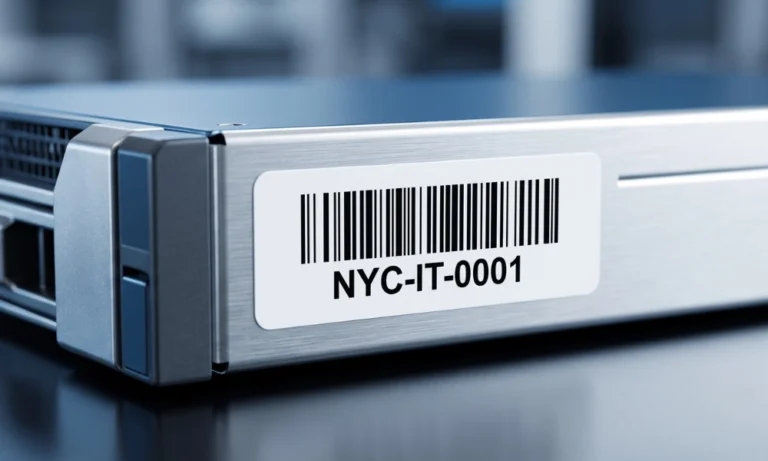
Asset Tagging in the UAE: How to Plan a Tagging Project That Holds UpAsset tagging means fixing a label with a unique number to each item you want to track, usually as a barcode or QR code, and recording that number against the item in an asset register. The labels are the cheap part. An asset tagging project in the UAE succeeds or fails on the numbering, the register, and whether the label material is still readable after a few summers of heat and sun.
Most of the problems in a tagging project are decided before a single label is printed: asset numbers that don’t match the accounts, paper labels on outdoor equipment, laptops tagged in five different places. This guide walks through a tagging project in the order you’d run it.
Step 1: decide what gets a tag
Start with a list, not a label order. Most companies tag:
- IT equipment: laptops, desktops, monitors, printers, phones and network equipment
- Furniture and office equipment above a set value
- Machinery, tools and test equipment
- Generators, pumps and other plant
- Anything leased or on loan that you will have to return
Ask your finance team which items are capitalised in the books, and tag at least those. Below that value, tag only the things that tend to go missing, such as laptops, phones and power tools. Tagging every stapler makes the register harder to keep accurate, and an inaccurate register is worse than a short one.
Step 2: choose a numbering format and keep it
The asset number is what everything else hangs on. A few rules save a lot of trouble later:
- Use a short prefix and a fixed-length number, such as LL-000125. Fixed length keeps sorting and scanning predictable.
- Don’t build the location or department into the number. Assets move, and a number that says “Floor 3” is wrong the day the printer goes to Floor 5.
- Never reuse a number, even after an asset is written off.
- Print the number in plain text under the barcode, so someone can type it in when a scanner isn’t to hand.
Barcode or QR code? A linear barcode such as Code 128 handles letters and numbers, stays compact, and every scanner reads it. A QR code is the better choice if staff will scan tags with a phone to open the asset’s record or maintenance history. Our comparison of barcode labels and QR code labels covers the trade-offs.
For the first big batch, order labels pre-printed with sequential numbers and barcodes instead of printing thousands in-house. Keep a printer and label printing software for the new assets that arrive after the project.
Step 3: match the label material to where the asset lives
A tag that peels or fades after two summers means retagging, and until someone notices, that asset drops out of your counts. Choose the material by environment:
Where the asset lives Label to use Offices, furniture and IT equipment Polyester or white vinyl asset labels Laptops, phones and anything that tends to walk Tamper-evident labels that break apart or leave a mark when removed Machinery, plant rooms and outdoor equipment Anodised aluminium metal barcode labels Equipment that gets hot High-temperature labels, such as our mini mark labels rated from −60 °C to 200 °C Metal surfaces, or where you want a metallic finish 3M silver asset labels High-value items where removal must be close to impossible Solid aluminium security plates with industrial-strength adhesive
Anodised aluminium labels have the graphics sealed into the pores of the metal, which is why they stand up to sun, chemicals and cleaning far better than printed plastic. If you’re choosing between silver polyester and other metallic finishes, read 3M silver labels vs metalized labels, and for a fuller walk-through see how to choose asset labels.
Tagging computers and IT equipment
Computers are where asset tagging most often goes wrong, mostly because different people tag them in different ways. A few habits fix that:
- Put the tag in the same position on every unit of the same model, usually on the underside, clear of vents, rubber feet and the manufacturer’s service sticker.
- Use tamper-evident labels on laptops, so a tag can’t be peeled off and stuck on another machine without it showing. Our post on tamper-proof security asset tags explains how they work.
- Record the manufacturer’s serial number against your asset number. If the tag is ever damaged, the serial number still identifies the machine.
- Tag monitors, docking stations and other peripherals separately if you want to track them. They move between desks constantly.
Many business laptops and desktops also have an asset tag field in their BIOS or UEFI settings. If your IT team sets it to the same number as the physical label, device management software can read the asset number straight from the machine.
Step 4: apply the tags properly
- Clean the surface first. Isopropyl alcohol on a lint-free cloth removes the oil and dust that stop adhesive from bonding.
- Choose flat, smooth spots. Textured plastic and tight curves shorten a label’s life.
- Don’t apply labels to sun-baked metal in the middle of a UAE summer day. Work early, in the shade, or indoors before equipment is installed.
- Press firmly across the whole label. Permanent adhesives keep building their bond for some time after application, so don’t test a new tag by pulling at it.
- Photograph each tagged asset in place. It settles most arguments at the next audit.
Step 5: record, reconcile and audit
For each tag, record at least the asset number, description, make and model, serial number, location, department or user, purchase date and cost, condition, and a photo.
Scan tags into the register as you apply them, with a barcode scanner or a PDA device that captures the location at the same time. Typing asset numbers by hand invites mistakes, and one wrong digit makes an asset effectively disappear.
Then reconcile the register against the fixed asset register in your accounts. You’ll find two kinds of mismatch: items in the books that nobody can find, and items on the floor that aren’t in the books. Both need a decision from finance, so plan time for it.
After that, keep counting. Plan a full count at least once a year, ideally before your financial year end, with spot checks in between. With barcodes and a scanner, a count is much faster than walking around with a printed list.
Why the register matters for UAE tax records
Under Article 56 of the UAE Corporate Tax Law (Federal Decree-Law No. 47 of 2022), a taxable person must keep the records that support its tax return for seven years after the end of the tax period they relate to. The law doesn’t mention asset tags. But if your accounts include depreciation on fixed assets, a register you can match to physical, tagged items is far easier to stand behind than a spreadsheet nobody has checked against reality. Ask your tax adviser how this applies to your business.
Doing it yourself or hiring an asset tagging company
Running the project in-house works well for one office or warehouse with a few hundred assets and an IT or admin team that can spare the time. Hiring an asset tagging company makes more sense for several sites, thousands of items, or a fixed deadline such as a year-end audit. The process is the same whether your assets are in Dubai, Abu Dhabi, Sharjah or Ras Al Khaimah. What changes is how many people you need on the ground.
If you hire an asset tagging service, ask them:
- Which label materials will they use in each environment, and who supplies them?
- Will the numbering follow your format, or theirs?
- What format will the data come back in, and will it import into your asset or ERP system?
- Will they photograph every asset?
- Will they give you a reconciliation report against your fixed asset register?
- How will new assets be tagged after the project ends?
What we supply for tagging projects
Whether you run the project yourself or a contractor runs it for you, we can supply:
- Asset labels pre-printed with sequential numbers, barcodes or QR codes, and your logo and colours
- Anodised aluminium, 3M silver, tamper-evident and high-temperature labels, and aluminium security plates
- Barcode printers and BarTender software for printing tags for new assets in-house
- Barcode scanners, QR code scanners and PDA devices
- Asset tracking and inventory software, customised PDA software, and integration with your existing ERP system
Tell us how many assets you’re tagging, where they are and what conditions they sit in, and we’ll recommend materials and quote the labels. You can see the full range on our asset tags page.
Visit: Office M04, AB Plaza-2 Building, near Al Qiyada Metro Station, Abuhail, Deira, Dubai · Call: +971 4 2715807 · Mobile: +971 55 7994752 · Email: sales@labelsandlabeling.ae
Frequently asked questions
What is asset tagging?
Asset tagging is fixing a label with a unique number, usually as a barcode or QR code, to each asset you want to track, and recording that number against the asset in a register. Scanning the tags makes audits and location checks faster and more accurate.
Which label material is best for asset tags in the UAE?
It depends where the asset lives. Polyester or vinyl labels suit offices and IT equipment, tamper-evident labels suit laptops and phones, and anodised aluminium suits machinery and outdoor equipment exposed to sun, heat and chemicals.
Should asset tags use a barcode or a QR code?
A linear barcode such as Code 128 is compact and readable by any scanner. A QR code is better if staff will scan tags with a phone to open the asset’s record. Either way, print the asset number in plain text as well.
Where should I put an asset tag on a laptop?
In the same position on every unit of the same model, usually on the underside, away from vents and rubber feet. Use a tamper-evident label so it can’t be moved to another device unnoticed, and record the serial number too.
Do UAE companies have to keep a fixed asset register?
The UAE Corporate Tax Law requires taxable persons to keep the records that support their tax returns for seven years after the end of the tax period. It doesn’t require asset tags, but a register matched to tagged assets makes those records easier to support. Check with your tax adviser.
How often should tagged assets be audited?
Plan a full count at least once a year, ideally before your financial year end, with spot checks in between. Barcode scanning makes a count much faster than checking items against a printed list.
Asset tagging means fixing a label with a unique number to each item you want to track, usually as a barcode or QR code, and recording that number against the item in an asset register. The labels are the cheap part. An asset tagging project in the UAE succeeds or fails on the numbering, the register, and whether the label material is still readable after a few summers of heat and sun.
Most of the problems in a tagging project are decided before a single label is printed: asset numbers that don’t match the accounts, paper labels on outdoor equipment, laptops tagged in five different places. This guide walks through a tagging project in the order you’d run it.
Step 1: decide what gets a tag
Start with a list, not a label order. Most companies tag:
- IT equipment: laptops, desktops, monitors, printers, phones and network equipment
- Furniture and office equipment above a set value
- Machinery, tools and test equipment
- Generators, pumps and other plant
- Anything leased or on loan that you will have to return
Ask your finance team which items are capitalised in the books, and tag at least those. Below that value, tag only the things that tend to go missing, such as laptops, phones and power tools. Tagging every stapler makes the register harder to keep accurate, and an inaccurate register is worse than a short one.
Step 2: choose a numbering format and keep it
The asset number is what everything else hangs on. A few rules save a lot of trouble later:
- Use a short prefix and a fixed-length number, such as LL-000125. Fixed length keeps sorting and scanning predictable.
- Don’t build the location or department into the number. Assets move, and a number that says “Floor 3” is wrong the day the printer goes to Floor 5.
- Never reuse a number, even after an asset is written off.
- Print the number in plain text under the barcode, so someone can type it in when a scanner isn’t to hand.
Barcode or QR code? A linear barcode such as Code 128 handles letters and numbers, stays compact, and every scanner reads it. A QR code is the better choice if staff will scan tags with a phone to open the asset’s record or maintenance history. Our comparison of barcode labels and QR code labels covers the trade-offs.
For the first big batch, order labels pre-printed with sequential numbers and barcodes instead of printing thousands in-house. Keep a printer and label printing software for the new assets that arrive after the project.
Step 3: match the label material to where the asset lives
A tag that peels or fades after two summers means retagging, and until someone notices, that asset drops out of your counts. Choose the material by environment:
| Where the asset lives | Label to use |
| Offices, furniture and IT equipment | Polyester or white vinyl asset labels |
| Laptops, phones and anything that tends to walk | Tamper-evident labels that break apart or leave a mark when removed |
| Machinery, plant rooms and outdoor equipment | Anodised aluminium metal barcode labels |
| Equipment that gets hot | High-temperature labels, such as our mini mark labels rated from −60 °C to 200 °C |
| Metal surfaces, or where you want a metallic finish | 3M silver asset labels |
| High-value items where removal must be close to impossible | Solid aluminium security plates with industrial-strength adhesive |
Anodised aluminium labels have the graphics sealed into the pores of the metal, which is why they stand up to sun, chemicals and cleaning far better than printed plastic. If you’re choosing between silver polyester and other metallic finishes, read 3M silver labels vs metalized labels, and for a fuller walk-through see how to choose asset labels.
Tagging computers and IT equipment
Computers are where asset tagging most often goes wrong, mostly because different people tag them in different ways. A few habits fix that:
- Put the tag in the same position on every unit of the same model, usually on the underside, clear of vents, rubber feet and the manufacturer’s service sticker.
- Use tamper-evident labels on laptops, so a tag can’t be peeled off and stuck on another machine without it showing. Our post on tamper-proof security asset tags explains how they work.
- Record the manufacturer’s serial number against your asset number. If the tag is ever damaged, the serial number still identifies the machine.
- Tag monitors, docking stations and other peripherals separately if you want to track them. They move between desks constantly.
Many business laptops and desktops also have an asset tag field in their BIOS or UEFI settings. If your IT team sets it to the same number as the physical label, device management software can read the asset number straight from the machine.
Step 4: apply the tags properly
- Clean the surface first. Isopropyl alcohol on a lint-free cloth removes the oil and dust that stop adhesive from bonding.
- Choose flat, smooth spots. Textured plastic and tight curves shorten a label’s life.
- Don’t apply labels to sun-baked metal in the middle of a UAE summer day. Work early, in the shade, or indoors before equipment is installed.
- Press firmly across the whole label. Permanent adhesives keep building their bond for some time after application, so don’t test a new tag by pulling at it.
- Photograph each tagged asset in place. It settles most arguments at the next audit.
Step 5: record, reconcile and audit
For each tag, record at least the asset number, description, make and model, serial number, location, department or user, purchase date and cost, condition, and a photo.
Scan tags into the register as you apply them, with a barcode scanner or a PDA device that captures the location at the same time. Typing asset numbers by hand invites mistakes, and one wrong digit makes an asset effectively disappear.
Then reconcile the register against the fixed asset register in your accounts. You’ll find two kinds of mismatch: items in the books that nobody can find, and items on the floor that aren’t in the books. Both need a decision from finance, so plan time for it.
After that, keep counting. Plan a full count at least once a year, ideally before your financial year end, with spot checks in between. With barcodes and a scanner, a count is much faster than walking around with a printed list.
Why the register matters for UAE tax records
Under Article 56 of the UAE Corporate Tax Law (Federal Decree-Law No. 47 of 2022), a taxable person must keep the records that support its tax return for seven years after the end of the tax period they relate to. The law doesn’t mention asset tags. But if your accounts include depreciation on fixed assets, a register you can match to physical, tagged items is far easier to stand behind than a spreadsheet nobody has checked against reality. Ask your tax adviser how this applies to your business.
Doing it yourself or hiring an asset tagging company
Running the project in-house works well for one office or warehouse with a few hundred assets and an IT or admin team that can spare the time. Hiring an asset tagging company makes more sense for several sites, thousands of items, or a fixed deadline such as a year-end audit. The process is the same whether your assets are in Dubai, Abu Dhabi, Sharjah or Ras Al Khaimah. What changes is how many people you need on the ground.
If you hire an asset tagging service, ask them:
- Which label materials will they use in each environment, and who supplies them?
- Will the numbering follow your format, or theirs?
- What format will the data come back in, and will it import into your asset or ERP system?
- Will they photograph every asset?
- Will they give you a reconciliation report against your fixed asset register?
- How will new assets be tagged after the project ends?
What we supply for tagging projects
Whether you run the project yourself or a contractor runs it for you, we can supply:
- Asset labels pre-printed with sequential numbers, barcodes or QR codes, and your logo and colours
- Anodised aluminium, 3M silver, tamper-evident and high-temperature labels, and aluminium security plates
- Barcode printers and BarTender software for printing tags for new assets in-house
- Barcode scanners, QR code scanners and PDA devices
- Asset tracking and inventory software, customised PDA software, and integration with your existing ERP system
Tell us how many assets you’re tagging, where they are and what conditions they sit in, and we’ll recommend materials and quote the labels. You can see the full range on our asset tags page.
Visit: Office M04, AB Plaza-2 Building, near Al Qiyada Metro Station, Abuhail, Deira, Dubai · Call: +971 4 2715807 · Mobile: +971 55 7994752 · Email: sales@labelsandlabeling.ae
Frequently asked questions
What is asset tagging?
Asset tagging is fixing a label with a unique number, usually as a barcode or QR code, to each asset you want to track, and recording that number against the asset in a register. Scanning the tags makes audits and location checks faster and more accurate.
Which label material is best for asset tags in the UAE?
It depends where the asset lives. Polyester or vinyl labels suit offices and IT equipment, tamper-evident labels suit laptops and phones, and anodised aluminium suits machinery and outdoor equipment exposed to sun, heat and chemicals.
Should asset tags use a barcode or a QR code?
A linear barcode such as Code 128 is compact and readable by any scanner. A QR code is better if staff will scan tags with a phone to open the asset’s record. Either way, print the asset number in plain text as well.
Where should I put an asset tag on a laptop?
In the same position on every unit of the same model, usually on the underside, away from vents and rubber feet. Use a tamper-evident label so it can’t be moved to another device unnoticed, and record the serial number too.
Do UAE companies have to keep a fixed asset register?
The UAE Corporate Tax Law requires taxable persons to keep the records that support their tax returns for seven years after the end of the tax period. It doesn’t require asset tags, but a register matched to tagged assets makes those records easier to support. Check with your tax adviser.
How often should tagged assets be audited?
Plan a full count at least once a year, ideally before your financial year end, with spot checks in between. Barcode scanning makes a count much faster than checking items against a printed list.